How the Lineup Works
Everything you need to know about building your Starting 11 each week — from how available players work to when your picks lock in.
The Starting 11
Each week you set the best lineup you can from your remaining available players — anyone who hasn't been burned. Once a player is burned — gone for good.
As you set your lineup each week, remember the ENB football season runs 17 weeks. Just like fantasy leagues across the country, nobody wants to play in Week 18 — outside of a couple of meaningful games, it's basically a preseason week where teams rest their starters and chaos takes over.
I'm a lifelong super-flex truther — we call it Inferno here at ENB — and I've been running leagues with it for over 20 years. It still blows my mind that the fantasy world hasn't fully adjusted. Quarterback is the most important position not just in football, but in all of sports.
With a super-flex slot in the lineup, you can — and probably should — start a quarterback in your Inferno spot almost every week. With 17 weeks in the ENB season, that's 34 quarterbacks — and there are only 32 NFL teams. The bottom of your QB list is going to get uncomfortable fast, and you'll be tempted to throw Andy Dalton in your lineup when he gets a spot start.
In super-flex formats, backup quarterbacks who get a surprise start — whether due to injury or benching — get scooped up instantly, and many managers plug them straight into their lineup. Sometimes that works out… and sometimes it absolutely does not.
Back in 2017, I needed a quarterback for a November week and grabbed rookie Nathan Peterman, who was starting in place of Tyrod Taylor for the Bills. It turned into one of the worst QB performances in NFL history: 6/14 for 66 yards, 4 rushing yards, 0 touchdowns, 5 interceptions, and a fumble (not lost). Two of those interceptions were returned for touchdowns — and all of it happened in the first half before he was benched. Listening to that game on the radio was pure pain. When you plug his stat line into the ENB scoring calculator, he finishes with –18.96 points.
The moral of the story: starting every quarterback who takes the field isn't always the winning move. Sometimes the burn is real.
Navigating the Lineup Page
To get to the lineup page, select My Team → Set My Lineup from the navigation bar at the top of the Football home page.
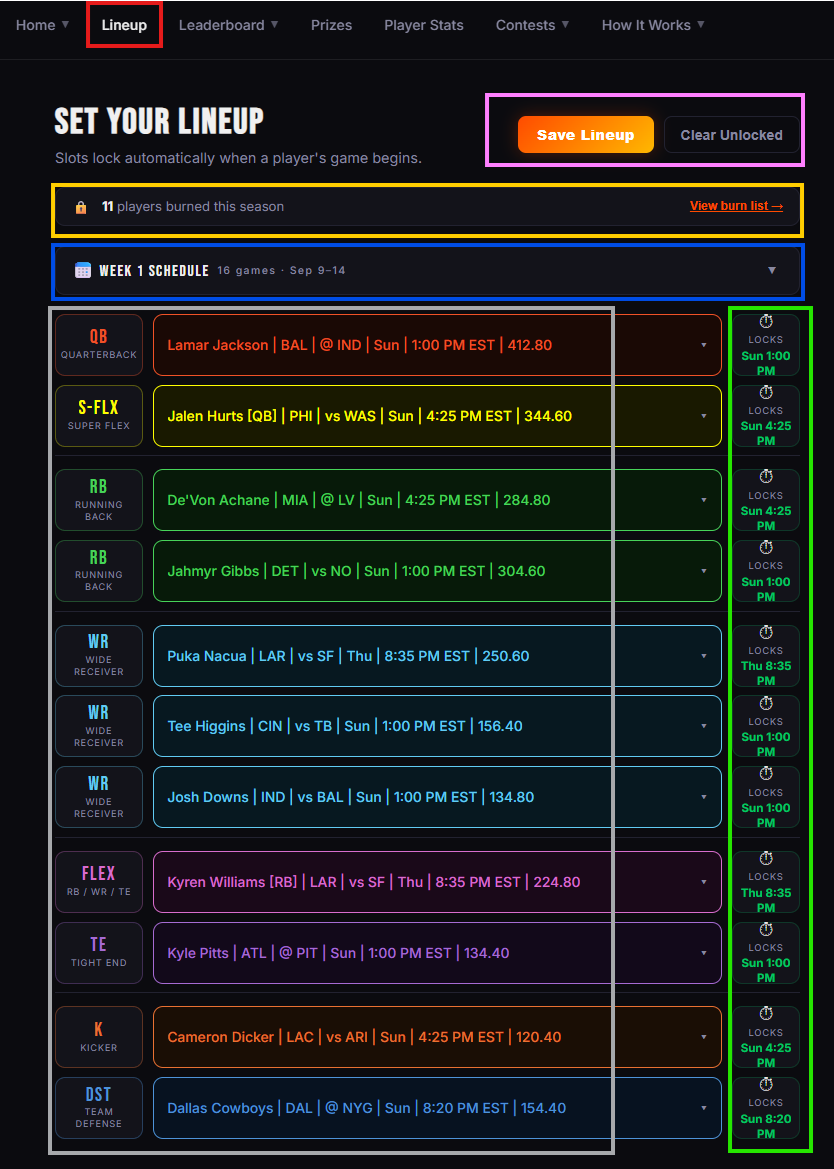
Starting from the top of the first image: the purple arrow marks the Save Lineup and Clear Unlocked buttons. Save your lineup once you've selected each of your 11 players. Clear Unlocked removes any of your players whose lineup lock hasn't triggered yet.
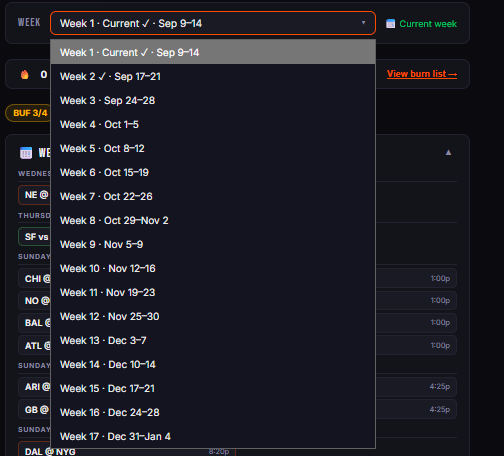
The aqua arrow marks the week dropdown, with all 17 weeks available (second image below) — giving you the option to pre-load lineups for future weeks. A checkmark appears next to any week with a saved lineup, and you can keep updating a future week's lineup until a player locks. As you pre-select future lineups, players already slotted in other weeks won't appear in the dropdowns — it keeps track of everyone you've selected throughout the process.
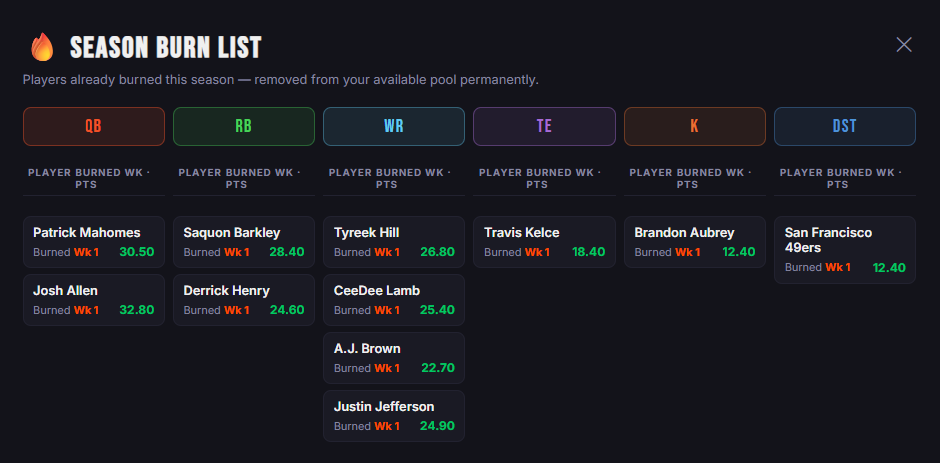
The orange arrow marks your burn tracker — the number of players you have burned so far this season. It grows by 11 every week; after 5 weeks, for example, 55 players will have been burned from your pool. Select the View burn list → link (third image below) to see every player you've burned, by position, for the entire season.
The pink arrow marks a badge that appears once you've selected a third player from the same NFL team. Four players from one team is the weekly max — go over it and you won't be able to save your lineup.
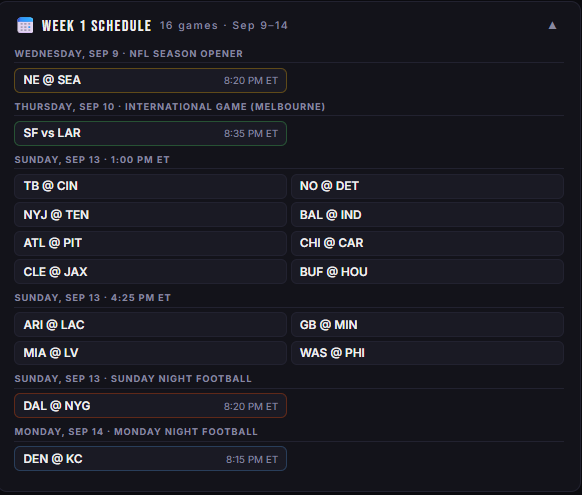
The gray arrow marks the current week's NFL schedule, which you can expand (fourth image below) — every matchup in order by date, day, and game time, along with whether it's a home or away game.
The section with the green and yellow arrows is where you build your lineup. The green arrows mark the utility slots — Inferno, Blaze, and Flare — each accepting the positions shown in the Your Roster section above. The yellow arrows point to lock times: every player locks 5 minutes before his game's kickoff, and the final lock each week is Sunday at 12:55 PM ET.
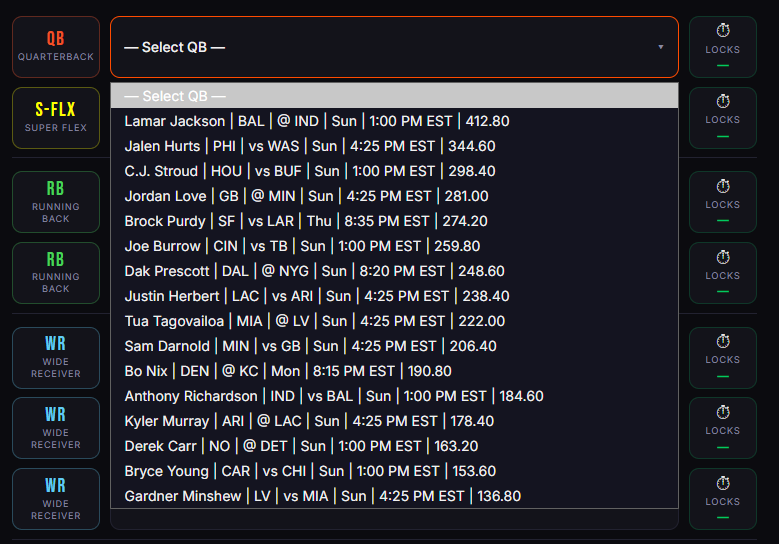
Use the dropdowns to select a player for each slot. Players are listed from highest to lowest YTD ENB points (Week 1 uses final 2025 ENB points), so your top available options are always at the top. Once you select a player, his lock section updates with that week's game time and lock time. Burned players never appear in any dropdown, and once a player is selected in one slot — say Josh Allen at QB — he disappears from every other dropdown. This applies consistently across all positions.
The last image below shows how players appear within each dropdown. Each entry displays, in order:
- Player Name (First Last)
- Team
- Opponent
- Game Day
- Game Time (ET)
- ENB points scored for the current year — Week 1 will show the previous year's points